Blog Download 8.3

 Michael Zülsdorff
1 decade ago
Michael Zülsdorff
1 decade ago
Blog
A component allowing members to create simple blogs in your social network.
Note: Blog requires Textarea Support to be installed and enabled, first.
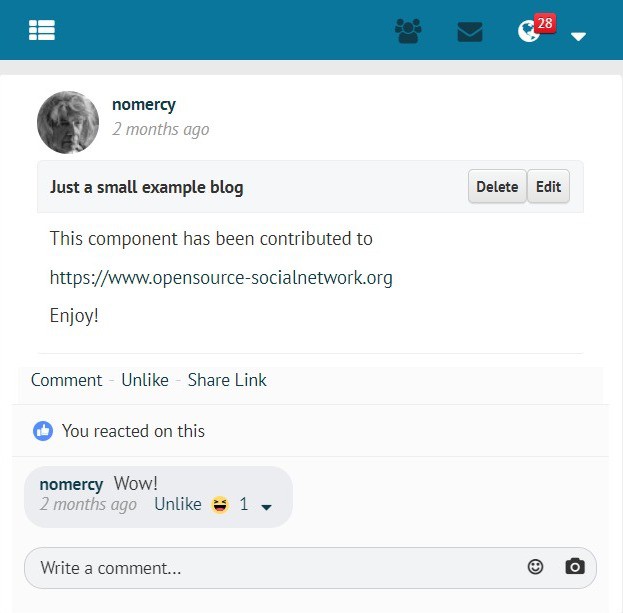
- Blog page layout on PC used with GoBlue theme
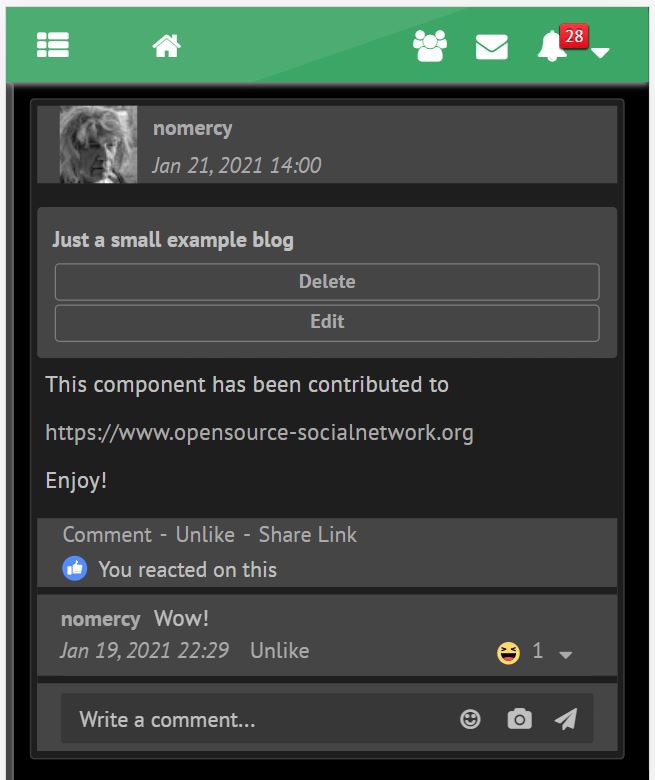
- Blog page layout on cellphone with GreenByGreen theme in darkmode
For your convenience, all Ossn default language files are already in place, but (except of the English and German one) still need translation.
Volunteers are welcome!
You can send your translated ossn.XX.php language files to
[email protected]
Changes:
V 8.3
- making use of Ossn 8.6's new
time_updateddatabase feature forlast-editedtimestamps
V 8.2
- fixed Ossn 8.5 compatibility issue with default notification views
V 8.1
- added support for Openteknik's Share Post component
https://www.openteknik.com/product/view/369/share-post - added Persian and Sinhalese language files
V 7.2
- added 'Latest Blogs' gadget
V 7.1
- refined search (Blog contents AND title) plus reduced false positives from CSS inside of the contents
- added Hungarian language file
- verified to work with PHP 8.2
V 6.5
- making use of Textarea Support 6.7's enhanced image scaling mechanism
V 6.4
- removed superfluous div from view page which was consuming extra space
V 6.3
- added wider margin to blog pages
V 6.2
- fixed: blog pages overlapping friends column on the right
- added: blog title to comment and like notifications
- changed: the list of blogs created by a member appears on profile subpage now (like photo alblums)
V 6.1
- Ossn 6.x support
- verified PHP 8 compatibility
- exclude blogs of blocked members from blog search
- fixed alignment of Blog comments section
- added Korean localization
Outdated Ossn 5.x releases
V 2.19
- "Share" button on top of blog removed. Replaced by "Share Link" below the blog if Content Sharing 2.0 is enabled
V 2.18
- Blog Sharing delegated to https://www.opensource-socialnetwork.org/component/view/4922/content-sharing . It needs at least Content Sharing 1.1 to enable sharing of blog pages
V 2.17
- fixed appearance of blog comments on wide screens
V 2.16
- removed proprietary elements and colors for smoother theme integration
- automatic grid layout of action buttons on narrow devices
- usage of complete screen width
- 'Confirm' dialog when trying to delete a blog
V 2.15
- fixed crash on edit- and add-page if member is not logged in
V 2.14
- requirements adapted to Ossn 5.4
V 2.13
- blogs with complete list of comments may be shared anywhere now
- copy share link to clipboard for easier pasting
- fixed overlapping of blog wall entries if blog starts with an image or a video
- added Chinese language file
- adapted to TextareaSupport 2.8
V 2.12
- refined components requirement check
- added Indonesian language file
- license update
V 2.11
- compatibility fixes for TextareaSupport 2.5
V 2.10
- added blog content search
V 2.9
- fixed shared link for sites with Ossn root in a subdirectory
V 2.7
- Android compatibility fix for share widget (make link selectable)
V 2.6
- added 'Share' button displaying a link to be used outside your Ossn community
- ugly 'sort by' link replaced by bootstrap button
V 2.5
- fixed issue with lowercase tab on profile page
- placeholder added to title field to prevent it from being left blank
V 2.4
- Blog lists will display a 'last edit' timestamp now and may be sorted by date (most recent on top) or by member names (alphabetically)
- In case you're not satisfied with the format of the timestamp you can easily customize it by editing line #23 of the component's language files
V 2.3
- fix disappearing blog previews from newsfeed page 2 and above
V 2.2
- hide blog pages from logged out members
V 2.1
- some sanitizing added to blog preview
V 2.0
- WYSIWYG editing
- a 300 character preview of the blog is shown on the main wall
- blogs can be liked and commented
- blog owner notifications on likes and comments
- cancel/back links for easier navigation
V 1.0
- initial release

Everwijn Overberg
Replied 6 years ago
Found the problem there is nothing wrong with the script the problem is the version of Google chrome on chromebooks.
Tested Firefox, woks
Tested Chrome on my Huawei Mate 10 pro from the app store - Works
Tested Chrome on a Windows 10 PC - works
Tried my chromebook version of Chrome - Blank field.
Time to start nagging google :-)
Cheers!
Everwijn Overberg
Replied 6 years ago
Well first off thanks for checking Z-Man it is very much appreciated.
What I did was turn off Password Validation. I am also happy to see that you got the editor. I am still seeing a blank field, but I at least I now know that is in my end and not the site, which helps a lot. I think I will go over all the components and as much as possible swap everything out for 5.4 versions if they are there.
On a side note, as you may have noticed I am translating everything into Dutch. I am far from finsihed but you are welcome to the language files
Michael Zülsdorff
Replied 6 years ago
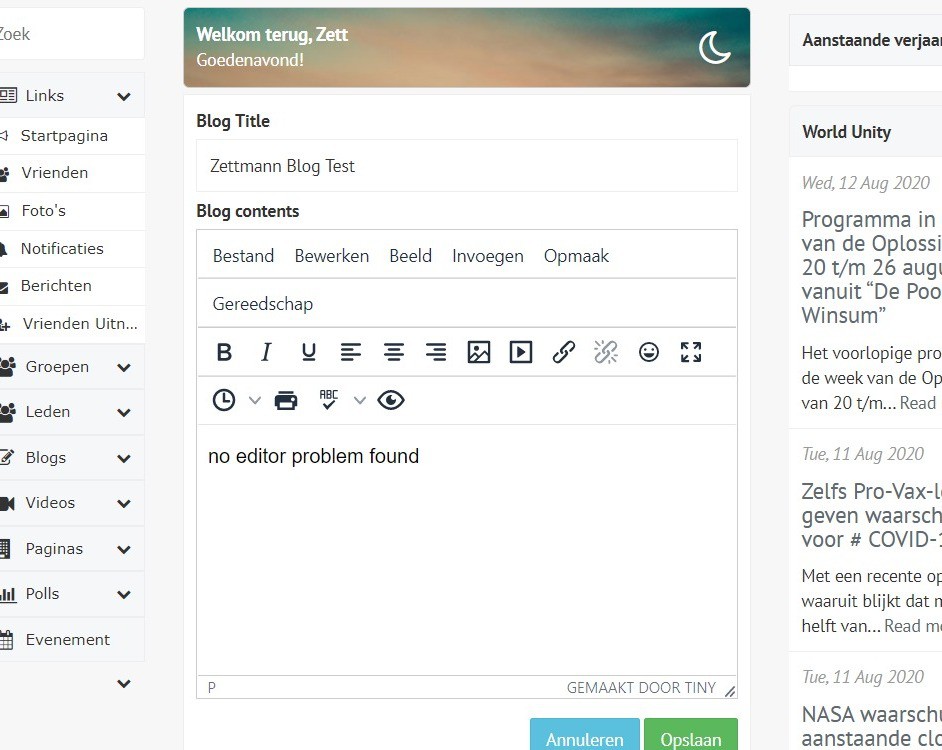
maybe you located the problem in the meantime ... at least I had no issues at your site and was able to create a new blog with the text-editor
Michael Zülsdorff
Replied 6 years ago
Ok, that's a start. And as already expected: A Javascript error.
I talked to Arsalan this morning and he said to have no issues with plain new premium and latest Blogs and TextareaSupport. So it's likely your issue is caused by any other extra component you're running.
Unfortunately these script errors are not easy to track down because - as we see in your case - the real problem already appeares in the PasswordValidation component. Which doesn't mean that PasswordValidation is buggy. Just installed latest version here, giving no issues.
So all I can recommend is running through the circle:
- check your log
- disable the mentioned component
- visit the blog page
- check your log again
... and so on ... until there's no more script error
this is the only chance isolate the bug
Of course ... in case you did any Javascript modifications yourself ... remove them first.
Everwijn Overberg
Replied 6 years ago
The console gives me this:
Uncaught TypeError: Cannot set property 'content_css' of undefined
at add:428
DevTools failed to load SourceMap: Could not parse content for https://urubin.nl/components/PasswordValidation/vendors/underscore-min.map: Unexpected token < in JSON at position 0
Everwijn Overberg
Replied 6 years ago
Thanks but blogs are not part of the premium package. I got the Blogs component from here not softlab24. Not sure if they provide suport in such a case?
Michael Zülsdorff
Replied 6 years ago
From your description it looks like the Texteditor's initialization fails due to a Javascript error.
You can try to press F12 to open the browser's developer window, choose the 'console' tab to find red listed errors yourself, or maybe ask for support at Softlab24.
Everwijn Overberg
Replied 6 years ago
Hello,
I upgraded from 5.2 to 5.4(Premium) and noticed the Blogs component no longer worked. I deleted and reinstalled Blogs and Text Area Support latest version and it works again but without the WYSIWYG editor it used to have. I now only see a blanc text area and when you try to edit a previous blog it shows the HTML code. Is it supposed to be like that, or have I forgotten something?

JACK AMPERES
Replied 6 years ago
ahh my apologies since the upgrade i didnt know i was running the component , put it down to lack of concentration via tooth ache, urrgh gona have to have it pulled. thank you very much , keep up the good work. all fixed
Michael Zülsdorff
Replied 6 years ago
Yes James,
that's the message you got from the Private Network component you're running to prevent public viewing your pages. 😲
The solution: add an exception to the second array of components/PrivateNetwork/classes/PrivateNetwork.php to make it look like ...
						array(
						'site/about',
						'site/terms',
						//'u/botox',					// allow this member's profile page
						'blog/view',
					),