Blog Download 8.3

 Michael Zülsdorff
1 decade ago
Michael Zülsdorff
1 decade ago
Blog
A component allowing members to create simple blogs in your social network.
Note: Blog requires Textarea Support to be installed and enabled, first.
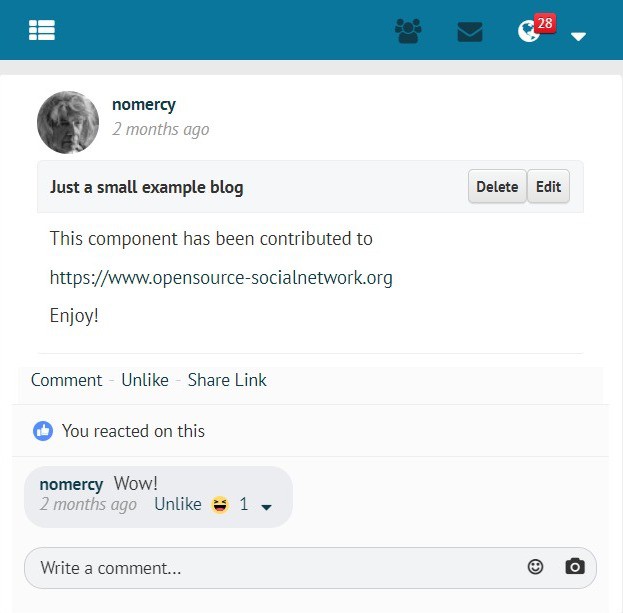
- Blog page layout on PC used with GoBlue theme
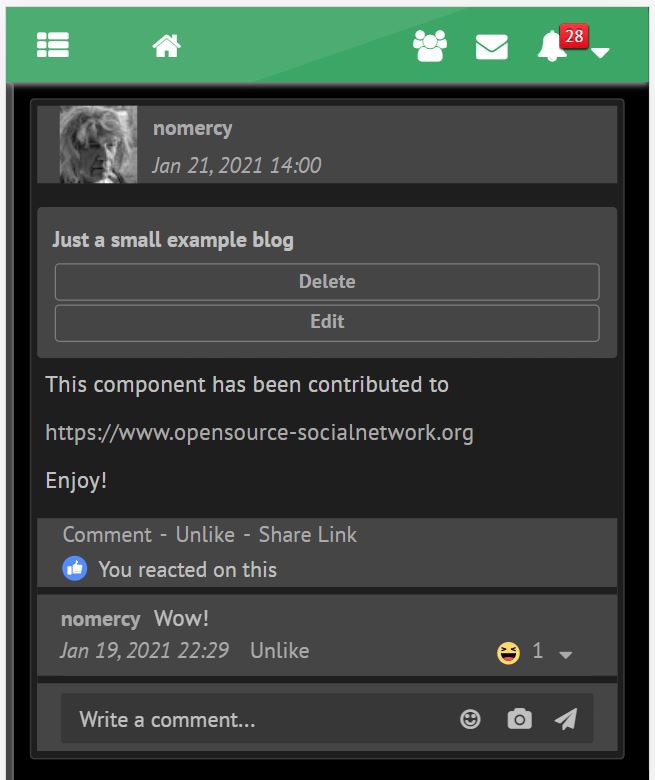
- Blog page layout on cellphone with GreenByGreen theme in darkmode
For your convenience, all Ossn default language files are already in place, but (except of the English and German one) still need translation.
Volunteers are welcome!
You can send your translated ossn.XX.php language files to
[email protected]
Changes:
V 8.3
- making use of Ossn 8.6's new
time_updateddatabase feature forlast-editedtimestamps
V 8.2
- fixed Ossn 8.5 compatibility issue with default notification views
V 8.1
- added support for Openteknik's Share Post component
https://www.openteknik.com/product/view/369/share-post - added Persian and Sinhalese language files
V 7.2
- added 'Latest Blogs' gadget
V 7.1
- refined search (Blog contents AND title) plus reduced false positives from CSS inside of the contents
- added Hungarian language file
- verified to work with PHP 8.2
V 6.5
- making use of Textarea Support 6.7's enhanced image scaling mechanism
V 6.4
- removed superfluous div from view page which was consuming extra space
V 6.3
- added wider margin to blog pages
V 6.2
- fixed: blog pages overlapping friends column on the right
- added: blog title to comment and like notifications
- changed: the list of blogs created by a member appears on profile subpage now (like photo alblums)
V 6.1
- Ossn 6.x support
- verified PHP 8 compatibility
- exclude blogs of blocked members from blog search
- fixed alignment of Blog comments section
- added Korean localization
Outdated Ossn 5.x releases
V 2.19
- "Share" button on top of blog removed. Replaced by "Share Link" below the blog if Content Sharing 2.0 is enabled
V 2.18
- Blog Sharing delegated to https://www.opensource-socialnetwork.org/component/view/4922/content-sharing . It needs at least Content Sharing 1.1 to enable sharing of blog pages
V 2.17
- fixed appearance of blog comments on wide screens
V 2.16
- removed proprietary elements and colors for smoother theme integration
- automatic grid layout of action buttons on narrow devices
- usage of complete screen width
- 'Confirm' dialog when trying to delete a blog
V 2.15
- fixed crash on edit- and add-page if member is not logged in
V 2.14
- requirements adapted to Ossn 5.4
V 2.13
- blogs with complete list of comments may be shared anywhere now
- copy share link to clipboard for easier pasting
- fixed overlapping of blog wall entries if blog starts with an image or a video
- added Chinese language file
- adapted to TextareaSupport 2.8
V 2.12
- refined components requirement check
- added Indonesian language file
- license update
V 2.11
- compatibility fixes for TextareaSupport 2.5
V 2.10
- added blog content search
V 2.9
- fixed shared link for sites with Ossn root in a subdirectory
V 2.7
- Android compatibility fix for share widget (make link selectable)
V 2.6
- added 'Share' button displaying a link to be used outside your Ossn community
- ugly 'sort by' link replaced by bootstrap button
V 2.5
- fixed issue with lowercase tab on profile page
- placeholder added to title field to prevent it from being left blank
V 2.4
- Blog lists will display a 'last edit' timestamp now and may be sorted by date (most recent on top) or by member names (alphabetically)
- In case you're not satisfied with the format of the timestamp you can easily customize it by editing line #23 of the component's language files
V 2.3
- fix disappearing blog previews from newsfeed page 2 and above
V 2.2
- hide blog pages from logged out members
V 2.1
- some sanitizing added to blog preview
V 2.0
- WYSIWYG editing
- a 300 character preview of the blog is shown on the main wall
- blogs can be liked and commented
- blog owner notifications on likes and comments
- cancel/back links for easier navigation
V 1.0
- initial release
Michael Zülsdorff
Replied 4 years ago
Most likely you did not update the Textarea-Support component to be compatible with your Ossn 6.6
See my release note I posted 10 months ago:
https://www.opensource-socialnetwork.org/component/view/3196/textarea-support

Tamás Varga
Replied 4 years ago
OSSN 6.6, White theme. You do not display a picture uploaded from your own computer in your blog. Displays the image from an external link.

Arsalan Shah
Replied 5 years ago
Another bug
- User One created blog
- User two commented on User blog
- User One received notification 'xxx commented on your blog'
- User three commented on blog.
- User one received notification 'xxx commented on your blog'
- User two also receives same notification with keyword 'your' however he didn't own that blog.
The possible fix is to change blog ossn_com.php following changes and adding a new langauge entry so if user is not the owner who is loggedin then show 'someone commneted on blog` instead of your!
OR
The easy fix would be change all language files and remove keyword 'yours' so its reads as in all cases
someone commneted on blog
Arsalan Shah
Replied 5 years ago
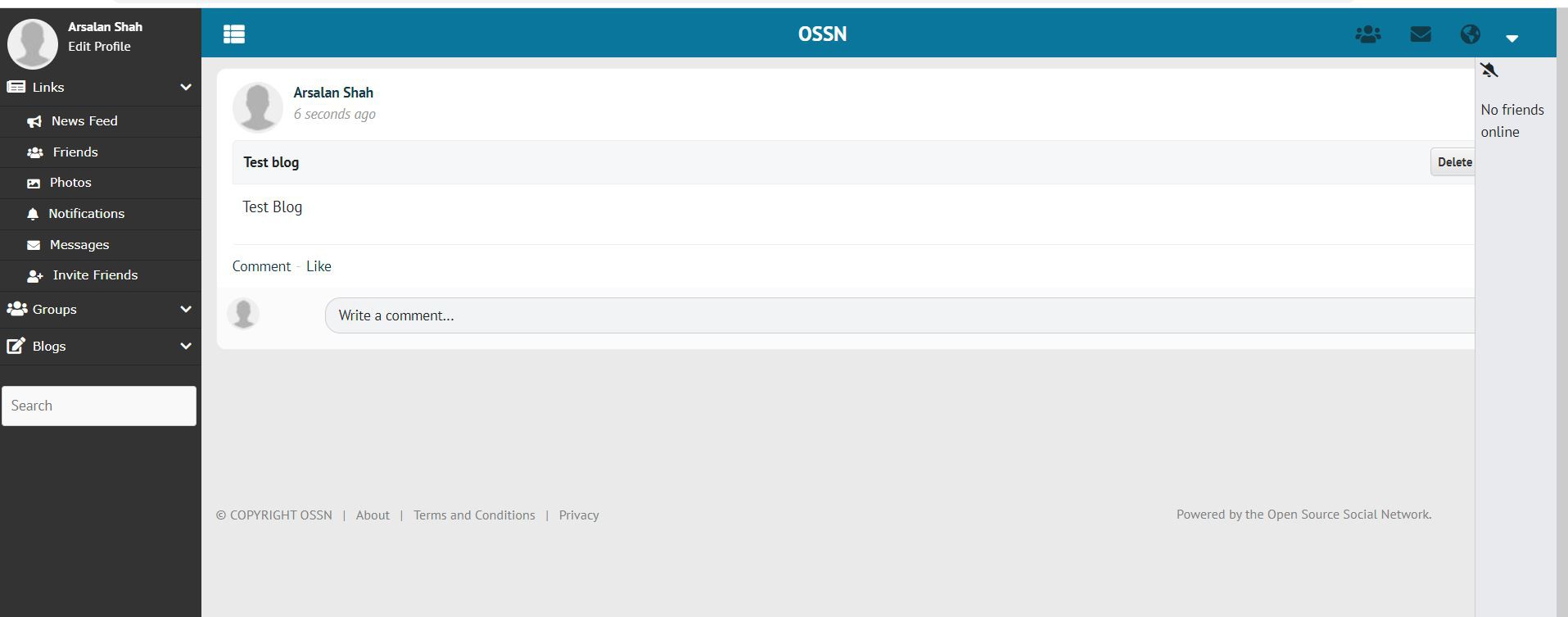
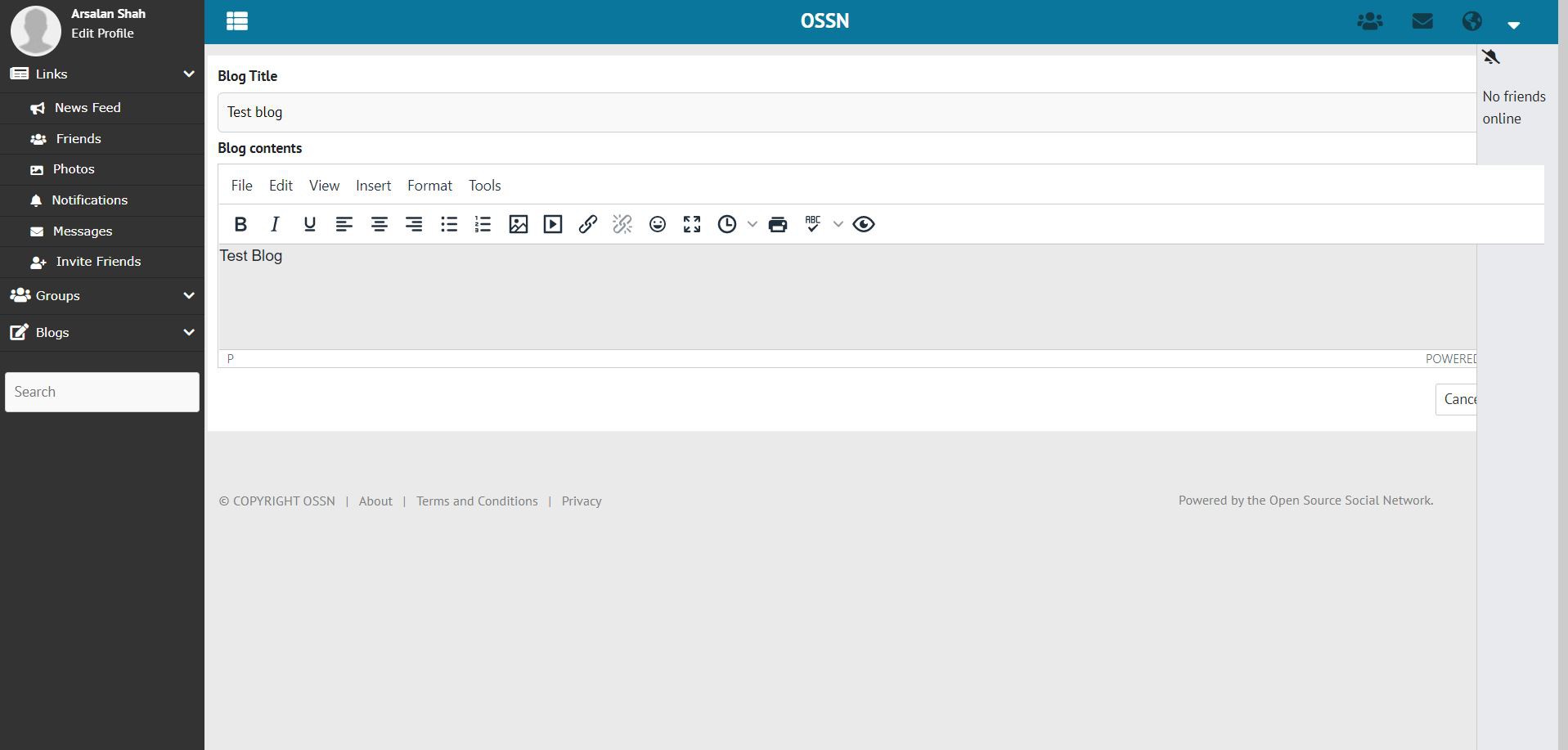
Error on default theme OSSN 6.1

Holger A.
Replied 5 years ago
It's not possible to install OSSN 6.0 with TextareaSupport 6.3, because Textarea Support 6.3 is not included at OSSN6, you have to register and download it on another Website.
Michael Zülsdorff
Replied 5 years ago
Good news, Balamurali:
Textarea Support 6.3 comes with the necessary interface included now to enable TinyMCE image uploads and pasting images from your clipboard. It needs Ossn 6.0, though.
So, please upgrade your site to Ossn 6.0 first, then install Textarea Support 6.3 and Blog 6.1

Balamurali Govindan
Replied 5 years ago
I just found something interesting...
Will explore this further and see if makes sense and would work.
Balamurali Govindan
Replied 5 years ago
Thanks Z-Man. Appreciate the help.
Creating my article is easy this way, but educating the users of the system to do this would be the challenge. Hope there is something with latest TinyMCE, that helps with this. Will research. It would be nice if this opens the camera or gallery interface in the mobile phones, so easy to upload images.
Thank You.
Michael Zülsdorff
Replied 5 years ago
Thank you for the details, Balamurali.
TinyMCE would need an extra interface to store direct image uploads or clipboard content on a server. This is not available by default, and that makes sense because there's no standard which way to accomplish this task where these files should be stored.
In other words: As long as this interface has not been developed, you can only link to images which are already stored somewhere. This must not be a completely different server, you may use images of your Ossn photo albums, too.
So, my way of displaying an image inside a blog is
- store that image inside an album of my site, first
- view that image inside my album (MYSITE/photos/view/35 for example)
- right-click that image an choose "Copy image location" (resulting a link like MYSITE/album/getphoto/4/6ba0545e1677ba93497ca44dda78fb2e.png?size=view for example)
- use TinyMCE's toolbar button [Insert/edit image]
- and paste the formerly copied image url
Admittedly not a really comfortable method, but currently the only workaround.
Balamurali Govindan
Replied 5 years ago
You take a screenshot of some screen in your laptop. This copies the image in the clipboard. Then you go to the blog editor and paste it there.
The image is attached and seen on the edit blog screen also, but not visible in the Post or in the blog view.
Another issue: in the TinyMCE editor there is no option to pick a file of an image (*.jpg or *.png) from the computer or mobile. There is an option to only give a link, which means the user should have a place on the internet where they could store these images and then use these URLs.
Please guide me with a solution for both the issues. Thank You.