Video Calling (VidConverse) Download 1.11

 Arsalan Shah
6 years ago
Arsalan Shah
6 years ago
This component uses OpenTeknik LLC Video Calling API. Allows your users to do a video call with each other. (Only on PC)
Follow https://www.openteknik.com/video-calling
Before testing make sure you have a camera, microphone working with your system and you provide a permission to use in browser and selects correct device.
1.11
Video call button not working on mobile. I actually forgot to upload this release.
1.10
Added translations
1.9
Fixed the issue with webview apps. Accept and call button didn't worked
Improved call button on mobile.
Arsalan Shah
Replied 6 years ago
Yes good luck, because you jumped to last step before reading others

John Guthrie
Replied 6 years ago
I see this failure:
jquery-1.11.1.min.js:4 POST https://www.softlab24.com/action/callapi/api/request 404 (Not Found)
John Guthrie
Replied 6 years ago
Hey, this will be a neat component!
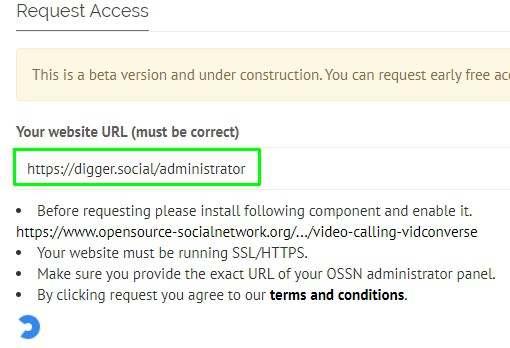
I have installed and enabled the component, and made sure to point the correct admin url with https/ssl etc, but I just get a blue spinning icon but nothing happens.
Have tried incognito, etc. No luck.

JACK AMPERES
Replied 6 years ago
sorry, my bad i forgot to add /administrator , thank you
Arsalan Shah
Replied 6 years ago
have you put https://www.exploratoryminds.com/premium/administrator ? URL and make sure you are not using private network.
JACK AMPERES
Replied 6 years ago
when i request the API softlab returns a server error, is this becuse ive installed my site in a sub folder?
to be clear the link is https://www.exploratoryminds.com/premium/