Home Page Posts Download 1.3

 Rafael [redcrested.net]
5 years ago
Rafael [redcrested.net]
5 years ago
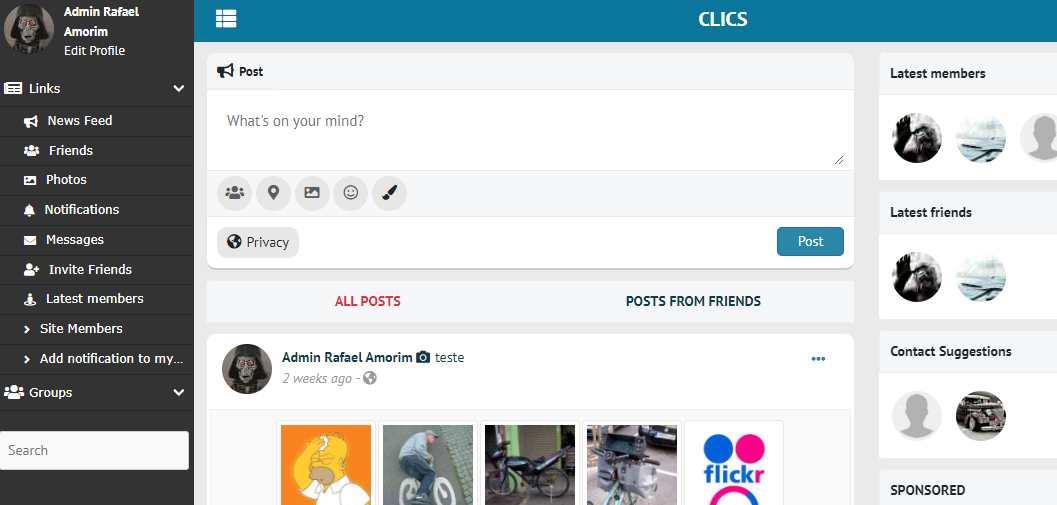
This component allows users to decide to see posts from all or friends only by showing two options below the new post block in News Feed.
Screenshot
How to support
If you want to help me to make more components, click on the button down bellow and buy me a coffee. It's up to you how much coffee I'll drink :-)

Changes
- Version 1.3
- Fix Avoid caching the JS files. Thanks to Arsalan Shah to solve the issue and Tamás Varga for finding the glitch.
- Added all OSSN supported languages. Except for EN, PT, and ES files, all others need to be translated
Known issue
If any other component uses the ossn_get_homepage_wall_access() function it is necessary to change it to hpage_posts_get_homepage_wall_access() for everything to work correctly. As far as I know, this function is used in the following components:
- HashTag
- PopularPosts
Thanks to Hugo for testing and reporting
Contributing
Pull requests are welcome. For major changes, please open an issue first to discuss what you would like to change.
Please make sure to update tests as appropriate.

Tamás Varga
Replied 5 years ago
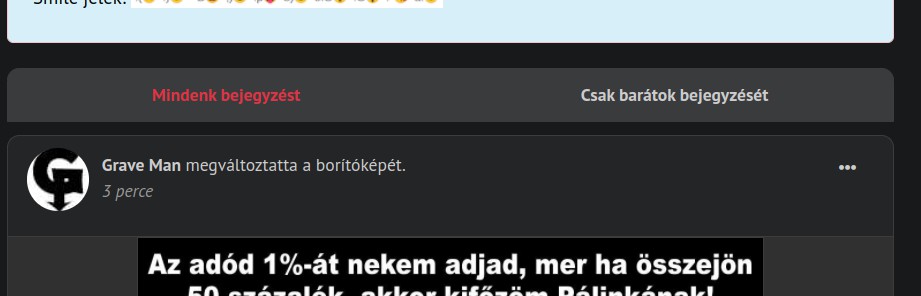
It always stays red. Only this "everyone can see" red. Click to reload the webpage. Everyone's entry is visible as both a user and an admin. I deleted admin cache and user web browser cache.
Rafael [redcrested.net]
Replied 5 years ago
Admin user can see any posts. Do you have tried with a normal user?
Tamás Varga
Replied 5 years ago
https://elittag.hu even though I turn off Hashtag on my website, the friend-everyone post selection doesn't work. the caption will appear: only friends and everyone can see it. I click and refresh the page, but the filter doesn't work, everyone's posts are visible. OSSN 6.1
Rafael [redcrested.net]
Replied 5 years ago
Version updated to solve selector menu bug into /u/[userName]. Also, added in Readme know issues section. Thanks to @Hugo for testing and reporting.

Erassus ︎ ︎
Replied 5 years ago
Thanks, i made the suggested changes and now is working.
As advice for anyone, Popular Posts is needed to be reinstalled and clic the Initialize button in the components page after to add the new line in the code, if anyone is currently running that.
So both component can works flawslessly.

Arsalan Shah
Replied 5 years ago
Because popular posts overrides siteactivity.php file also what you can do is to add
$accesstype = hpage_posts_get_homepage_wall_access();
into popular posts site activity file
Erassus ︎ ︎
Replied 5 years ago
Sorry for the bump or third comment, but i think is important.
Version 1.0 : is compatible with Popular Posts (commenting the line from OssnWall).
Version 1.1 : for some reason Popular Posts doesnt work with this version. (without commenting the line from OssnWall)
Erassus ︎ ︎
Replied 5 years ago
it seems if the site cache are enabled, the color stays in the old selection. The only way to verify what option is selected, is cleaning the cache in administration dashboard, so for now the workaround is to put an empty ' ' space in the 'text-danger' to avoid confusion.
Erassus ︎ ︎
Replied 5 years ago
Hi, very nice component, i tested in a virtual machine with Popular post component and seems fine, but i not tested in my production environment, so i will do a backup first to test with real users.
Custom color tip: you can change the red color selection in the js\homepageposts.php "text-danger" with another bootstrap color, like "text-primary" for example to get blue color selector.
Rafael [redcrested.net]
Replied 5 years ago
Thanks for the improvement in component