Goblue Registration Page Download 6.1dev8

 Michael Zülsdorff
4 years ago
Michael Zülsdorff
4 years ago
Goblue Registration Page
A component showcase in response to
Home page: transform registration form into a link which will
- Create a separate (standalone) registration page as a first step (dev1)
- Replace the core index.php file by a customized copy (dev2)
- Add a login dialog to the index page and center the output (dev3)
- Utilize Ossn's language files to replace a default translation (dev4)
- Create a customized widget without header derived from Ossn's default widget (dev5)
- Replace the core login2.php file (login form) by a customized copy (dev6)
- Make it work out of the box if Private Network component is installed (dev7)
- added compatibility with logo upload feature introduced by Ossn 7.3 (dev8)
Michael Zülsdorff
Replied 3 years ago
Okay, now that David likes to have the login dialog to appear on the index page, ket's go ahead and see which way this can be accomplished.
A rule of thumb first: Don't try to invent the wheel again, but search for already existing code first, because it's tested thoroughly. See https://www.opensource-socialnetwork.org/wiki/view/1137/how-to-find-something-a-word-pattern-in-the-source-code.
Actually, there IS an already existing default login page which is located in ~/system/plugins/default/pages/contents/user/login.php. Thus, all we have to do is copy the relevant code into index.php of this component. Release dev3 comes with this change included, aside from some clean-up and centering the output. Which now looks like
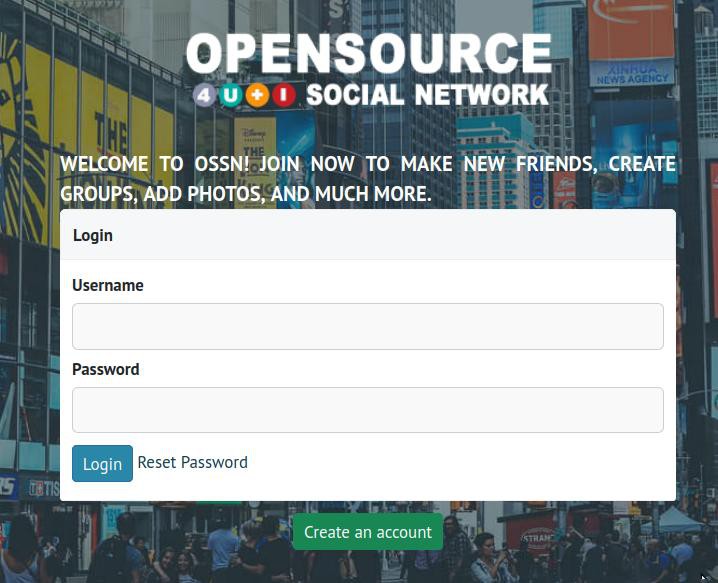
Still not quite what David has in mind, but we're getting closer. ;)

David Booth
Replied 3 years ago
I humbly beg your pardon. Your description and example were excellent. It was my lack of focus that interfered with my implementation. Because I am dealing with a component, of course the path was ~/ossn/components/GoblueRegistrationPage/plugins/default/pages/contents/index.php
Thank you. My understanding is now much improved.
Michael Zülsdorff
Replied 3 years ago
David,
I wrote "... Thus, in this case the complete path will be
GoblueRegistrationPage/plugins/default/pages/contents/index.php
... So we can leave the original index.php completely untouched, and apply our changes to the copied index.php inside the component instead ..."
What's misleading with my explanation that you edited a different file instead?
David Booth
Replied 3 years ago
I found it!
~/ossn/components/GoblueRegistrationPage/plugins/default/pages/contents/index.php
I'm confused that Goblue is so omnipresent when I thought I'd cloned it to my own wayway theme which is the one showing as active.
But if it works I'll live with it.
I'd still like a landing page that shows just 2 fields (username/password) and 3 buttons - login, change password, create account - each appropriately linked. Just adding a "create account" button to the login page would do it.
David Booth
Replied 3 years ago
I'm using a clone of goBlue here
David Booth
Replied 3 years ago
I successfully loaded dev2 and it pleased me greatly!
Then I edited ~/ossn/system/plugins/default/pages/contents/index.php to comment out "ul.some-icons" but that made no difference. I thought I was getting it but I'm lost again!
David Booth
Replied 3 years ago
just two fields and 3 buttons
David Booth
Replied 3 years ago
Superb! I'm overjoyed with this help. What about making it look more like 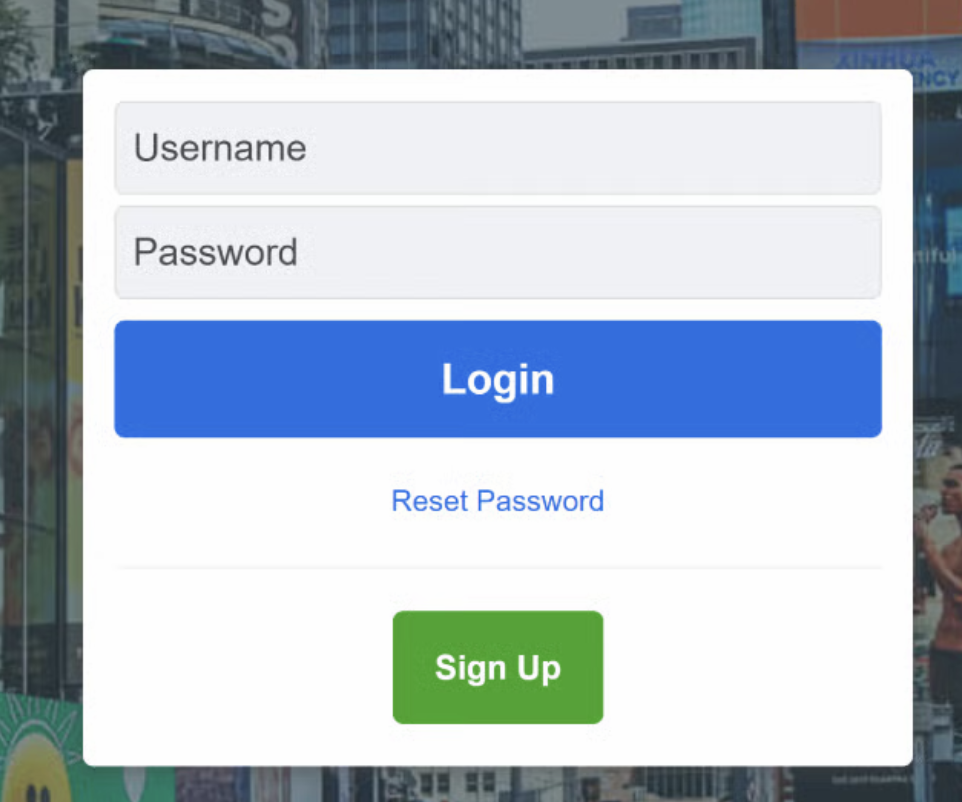
Michael Zülsdorff
Replied 4 years ago
Now that we have learned in v6.1dev1 how to create a NEW page by means of a component, v6.1dev2 will show how to alter an already existing page - in this case the homepage index.php
The original index.php is located in system/plugins/default/pages/contents/index.php
All we need to do is creating a similar subdirectory structure in our component like
/plugins/default/pages/contents/
and copy the original index.php over there. Thus, in this case the complete path will be
GoblueRegistrationPage/plugins/default/pages/contents/index.php
What Ossn will do is
- first looping through all the files located in
~/system/plugins/default/..... - next looping through all the files located in
~/ANY_ENABLED_COMPONENT/plugins/default/..... - finally looping through all the files located in
~/ANY_ENABLED_THEME/plugins/default/.....
and if a matching replacement is found, the replacement will be used instead of the original in the system subdirectory.
So we can leave the original index.php completely untouched, and apply our changes to the copied index.php inside the component instead.