Clipboard Download 3.9.3

 eric redegeld
2 years ago
eric redegeld
2 years ago
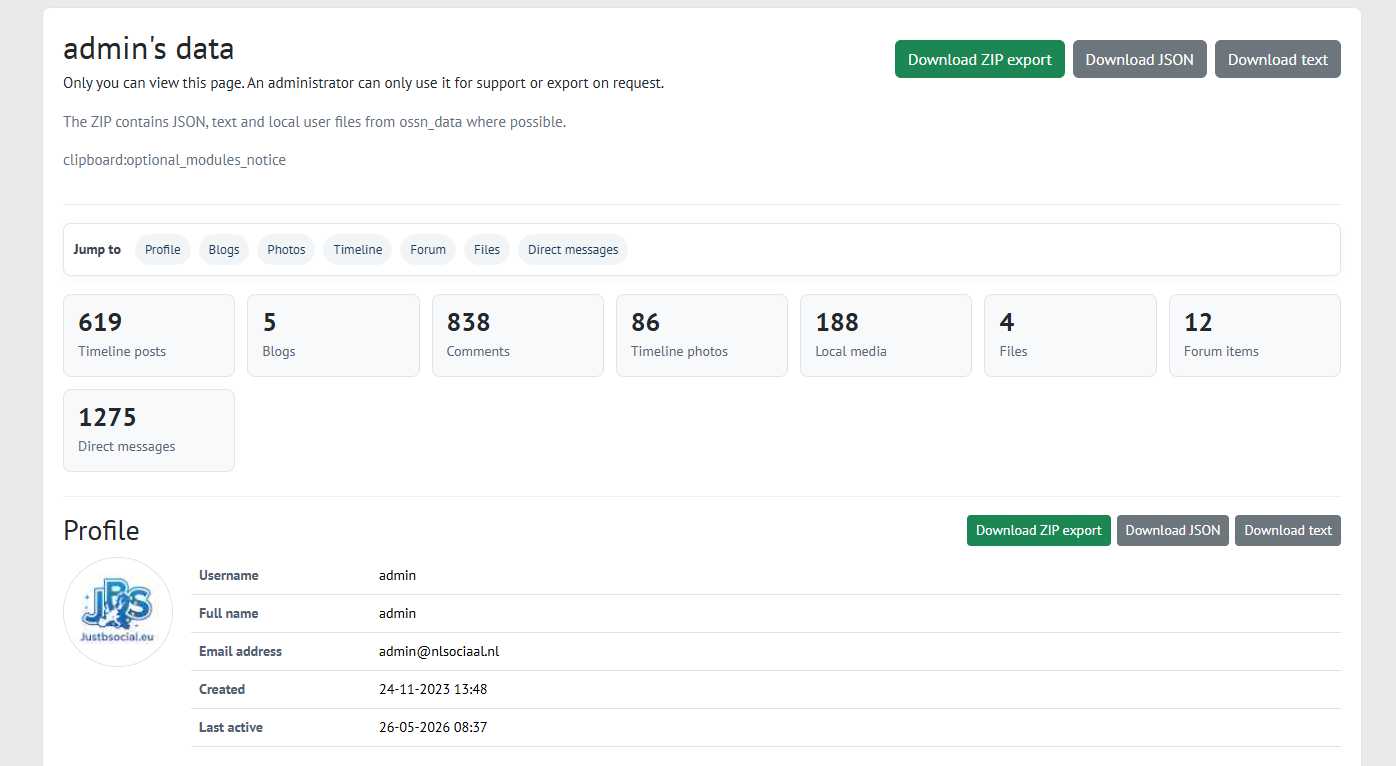
Clipboard for OSSN is a user data export component for the Open Source Social Network.
The idea behind Clipboard is simple: users should be able to see, understand and safely archive the data connected to their own account.
Social platforms often make it easy to post, upload and interact, but much harder to get a clear overview of what you have created over time. Clipboard adds that missing piece to OSSN by giving users a structured overview of their own activity and export options.
Clipboard can include:
Timeline posts
Comments
Blogs
Photos and local media
Files
Forum topics and replies
Private messages
Profile related data
Each section can be viewed separately and exported where available as ZIP, JSON or readable text. A full export is also available with a clear folder structure, making it easier for users to keep a personal archive or backup.
The module is built with privacy and data ownership in mind. Only the user can view their own Clipboard page. An administrator should only use this functionality for support or export on request.
Clipboard is designed to work with OSSN Free and OSSN Premium. If optional modules such as Blog, Forum or Files are not installed, those sections simply remain empty. If they are added later, Clipboard will try to include them safely.
Why this matters:
Users should not be locked into a platform.
Users should be able to download and review their own data.
A social network should be transparent about what is connected to an account.
Data portability should be a normal part of a privacy respecting community.
Clipboard is part of the JustBSocial.eu approach: user in control, privacy by design and real ownership of your own content.

Dominik L
Replied 2 years ago
I am getting this error, when trying to access clipboard
Error: Class "Blog" not found in /var/www/queermeet/htdocs/mrcrossii/DEVELOPER/components/Clipboard/ossn_com.php:96
Stack trace:
#0 /var/www/queermeet/htdocs/mrcrossii/DEVELOPER/components/Clipboard/ossn_com.php(74): clipboard_fetch_user_data()
#1 /var/www/queermeet/htdocs/mrcrossii/DEVELOPER/libraries/ossn.lib.page.php(79): clipboard_page_handler()
#2 /var/www/queermeet/htdocs/mrcrossii/DEVELOPER/index.php(22): ossn_load_page()
#3 {main}
Eric redegeld
Replied 2 years ago
Changelog for Clipboard Module - Version 2.0
Release Date: November 28, 2024
New Features:
Profile Tab Integration
Added a new tab under "Edit Profile" to provide users with a dedicated interface to access their Clipboard data directly from their account settings.
Introduced a profile_tab.php file for rendering the interface with buttons to view or download user data.
Improved User Data Download
Enhanced the download functionality to include timeline posts and their associated comments.
Added error handling to gracefully skip comments with invalid GUIDs.
Role-based Data Access
Ensured that:
Regular users can only view or download their own data.
Admin users can view and download data for any user.
Added access checks to prevent unauthorized access.
Changes:
Modularized CSS
Updated Clipboard/css/clipboard.php to improve style consistency across the module.
Menu and Navigation Updates
Removed the Clipboard link from the top and left navigation bar.
Added a contextual menu item under "Edit Profile" using the ossn_add_hook system. conform GPDR
Enhanced Logging
Added debug logs for invalid comments and other potential data inconsistencies during download.
Bug Fixes:
Fixed issues with comments not being displayed correctly during data download.
Resolved errors when fetching user data without proper validation.
Upgrade Instructions:
Replace the existing ossn_com.php with the new version.
Add the profile_tab.php file to the plugins/default/clipboard directory.
Ensure the CSS file clipboard.php is updated in Clipboard/css/.
Known Issues:
Some comments with missing GUIDs may still trigger warnings in error logs.
Additional error handling improvements planned for future releases.
Contributors:
Special thanks to Michael Zülsdorff for feedback and testing, ensuring this release meets user needs effectively.
Eric redegeld
Replied 2 years ago
Mischael, great feedback
think i got it working

Michael Zülsdorff
Replied 2 years ago
Next I'd suggest to surround that line like
if (ossn_isAdminLoggedin()) {
    $user = $username ? ossn_user_by_username($username) : ossn_loggedin_user();
} else {
	$user = ossn_loggedin_user();
}
because otherwise any user may collect any user's data ;)
And since all this belongs to the member's personal data anyway, I would make it part of the "Edit Profile" page like

(The GDPR component shows which way to create an entry like that)
Michael Zülsdorff
Replied 2 years ago
Some changes ... just having a first brief look ...
define('__CLIPBOARD__', ossn_route()->com . 'Clipboard/');
remember that Unix file and directory names are case-sensitive
and your component gets installed as Clipboard - not clipboard
ossn_extend_view('css/ossn.default', 'clipboard/css/clipboard');
Ossn expects css files included like this to be PHP executables (allowing to use some vars) - so rename it to clipboard.php
/*
echo ossn_set_page_layout('contents', array(
    'content' => $content,
    'title' => $title,
));
*/
Have a look into themes/goblue/plugins/default/theme/page/layout/contents.php:
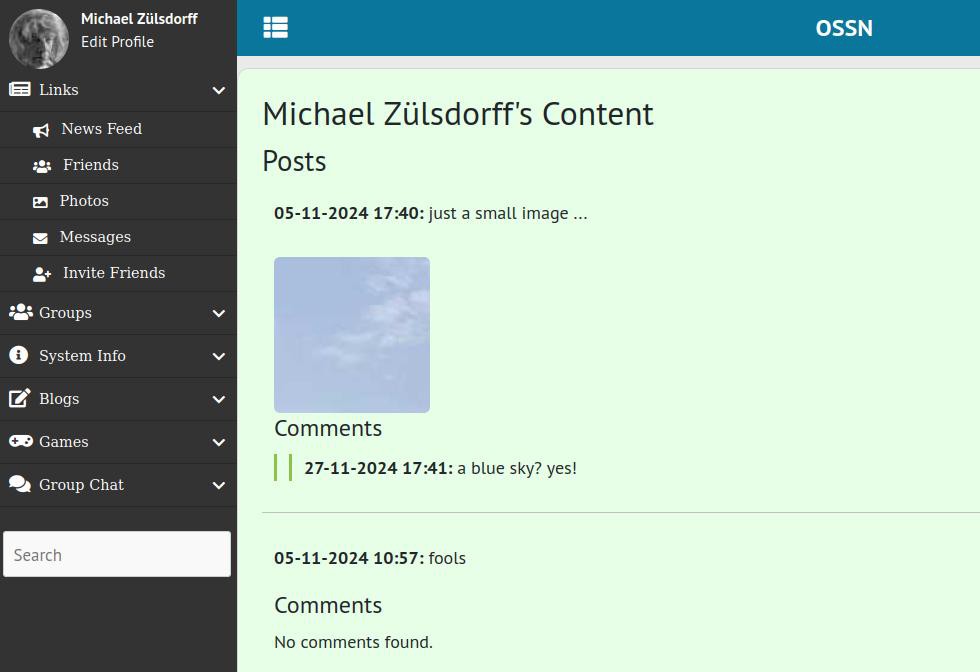
It's dealing with content only, thus it makes no sense to pass a title parameter. And if you don't want a standalone page but include it (as shown in the screenshot) the complete change is:
$page = ossn_set_page_layout('contents', array(
    'content' => $content,
));
echo ossn_view_page($title, $page);
Eric redegeld
Replied 2 years ago
Great!!! Like said feedback about working css would be great. But this looks great
Michael Zülsdorff
Replied 2 years ago
Really useful. Thanks Eric!
Eric redegeld
Replied 2 years ago
Ready for testing. This was a lot of fun and took weeks, but I finally have something to show.
Inspired by exploring the Wall, Blog, and Feedback code, I created this module.
The result is an overview of all your posts and reactions.
In this version, the post limit is set to 1000:
// Fetch timeline posts
$wall = new OssnWall();
$user_posts = $wall->GetUserPosts($user, array('page_limit' => 1000));
In the next version, this will be set to false for unlimited posts.
Enjoy using it, and please provide feedback!
I’m still struggling with the CSS, so any help is welcome.