HtmlSidebar Download 5.1

 Arsalan Shah
1 decade ago
Arsalan Shah
1 decade ago
HtmlSidebar
Allow admin to post some html code or javascript onto the right sidebar.
I'm wondering how hard it would be to write a component that would
allow us to insert HTML on the sidebars (left or right). It
could be useful for posting site news messages or widgets. Would it be
too difficult to do something like that?
Using this component you'll get idea about:
- How to add new action
- How to create component settings page
- How to add content on right sidebar of newsfeed page.
Changes:
V 5.1
Fixed the mobile issue , thanks to Michael for fixing it.
V 5.0
Allow JS/CSS tags
V 4.3
A configurable option has been added to display the sidebar content on top of the newsfeed on mobile devices
V 4.2
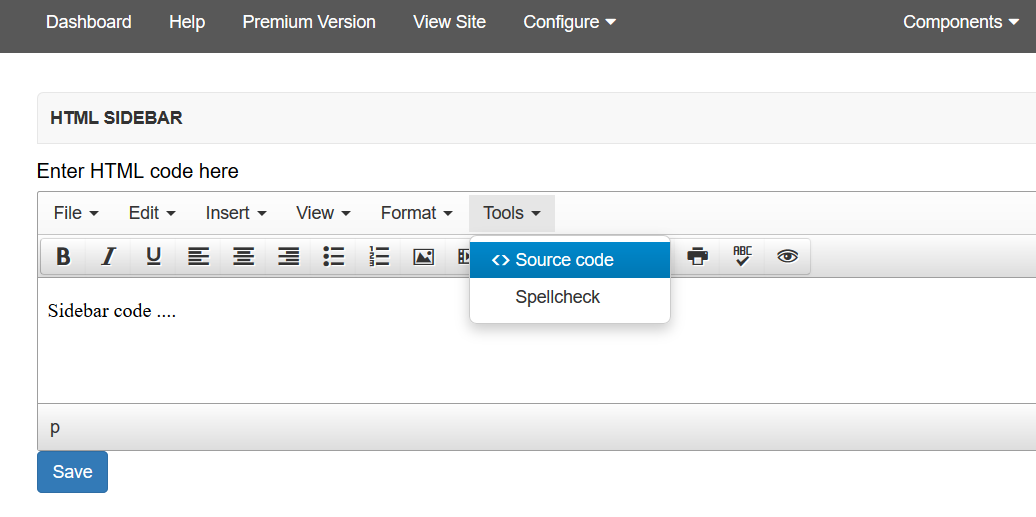
Comes with a WYSIWYG editor now to allow more comfortable editing.
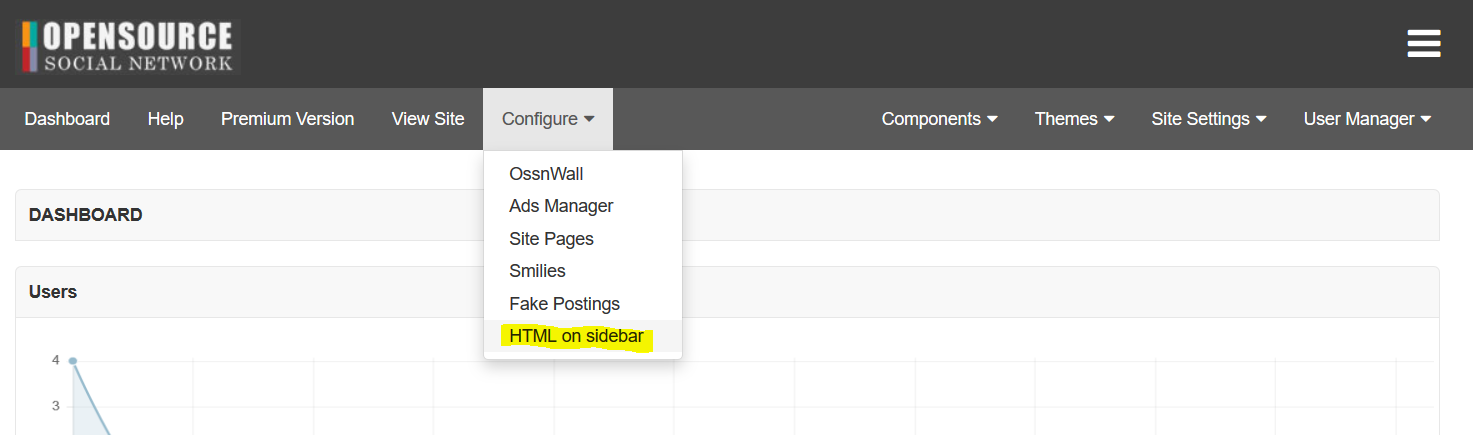
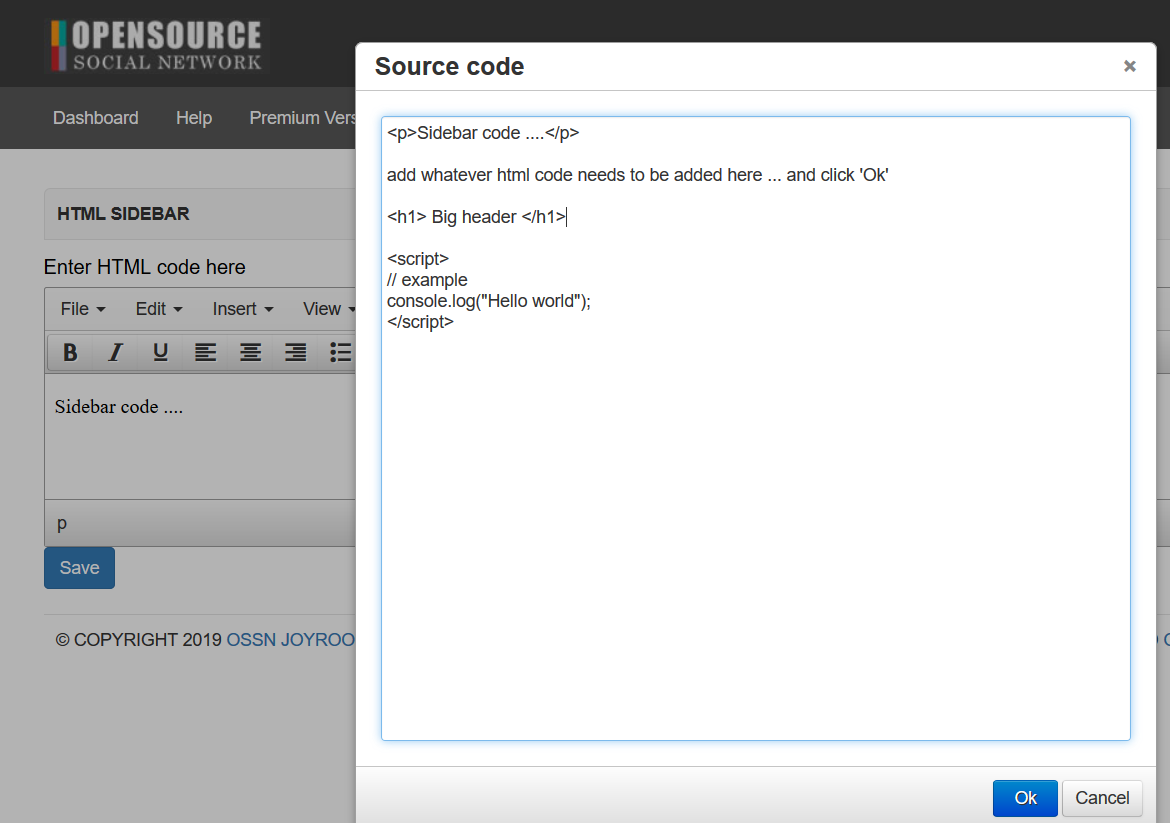
Of course you may still add your own plain html and/or javascript by choosing "Tools -> Source Code" from the editor menu top right like:


Michael Zülsdorff
Replied 9 years ago
@Shubham
The basic concept of Ossn is to support a responsive appearance of your site.
That's why a component like this can't have and in fact has no fixed sizes.

Shubham TIWARI
Replied 9 years ago
what is size of this html side bar.i want to paste my add code in this.

OSSN USER
Replied 9 years ago
This component doesn't work with the 4.4 version of ossn

Hardi Lu
Replied 10 years ago
i can't see my html side bar at my mobile...

Massimo Biffi
Replied 1 decade ago
ok the data was saved on the db on ossn_entities_metadata table.
enougth for the moment.
Massimo Biffi
Replied 1 decade ago
I can't edito or delete the message---- where is the editors of the messages?

Jeremy Monroe
Replied 1 decade ago
I was able to successfully install this component in version 4.0, but the coding sometimes doesn't stay. I will see the html output in the sidebar but after a few refreshes of the site when browsing the community, I can go back to the main page and the sidebar is blank again.

Chris kenny
Replied 1 decade ago
Please update this component to the latest version.

Fido Alex
Replied 1 decade ago
when i save the html, is an save record in sql ? Or where it saves?

Curt Guldenschuh
Replied 1 decade ago
Paritosh...you can add multiple entries into this component by stacking them. For example I use a text editor to save each seperate entry as a file. Then to build my script for the component I simply copy script2 and paste it after script1 with a dividing line between the two scripts. Add more entries using the same method. I have stacked the rotating list from Planet Source Code and a rotating list of links to my different websites into one script and then entered that into the component. Both rotate fine.