Content Sharing

 Michael Zülsdorff
6 years ago
Michael Zülsdorff
6 years ago
Michael Zülsdorff
Replied 6 years ago
Phil,
use Chrome on PC
log off of your site to be redirected to the start page
Press F12 function key to open Chrome's developer console
and you'll see

This Javascript error is thrown throughout your site and may cause later scripts to fail -
as the copy/paste script of this component for example.
So first of all remove the code which is causing this error, or better: code it code correctly.
Most likely it's part of your advertising stuff.

Philip Lozier
Replied 6 years ago
OK. V.2.2 installed. API key installed. Takes about 6 seconds to get message that the link is copied to the clipboard. Go to facebook to try to paste the link. When I right click the input field for the post there is nothing to paste from the clipboard.

William Shoap
Replied 6 years ago
I also just tried it on my iPhone and it does not save to the clipboard
William Shoap
Replied 6 years ago
Ok, I went back in and reinstalled again from a fresh backup without 2.2, just to be sure. I installed a fresh copy of 2.2. I enabled the component and then entered my apikey in the configuration. I still see the same thing happening on every attempt. I am wondering if it has anything to do with CloudFlare, the Image Size Reducer and any of the other components. Am providing a few URLS for you to look at. You can see all of these images just fine when using the direct URL. But Facebook won't pick them up.
- Poll: https://10-43.com/shared_content/poll/576/1613522405
- Group: https://10-43.com/shared_content/post/929/1615126463
- Newfeed post: https://10-43.com/shared_content/post/1083/1615750509
- Newsfeed post: https://10-43.com/shared_content/post/1039/1615421524
- Newsfeed post: https://10-43.com/shared_content/post/1021/1615391743
- Timeline post: https://10-43.com/shared_content/post/1057/1615589912
Thank you. This will be a very highly used component. I can use it now, but it won't post images at all, or will post just that black and white default image.
Michael Zülsdorff
Replied 6 years ago
That's strange indeed. Actually this component is taking care of Private Network. It's working flawlessly here.
Can you please provide a simple shared post sample url which doesn't work - I'll check that tomorrow.
William Shoap
Replied 6 years ago
Thank you for your work on this. I reinstalled and tried a bunch of posts. They all generate the new message and none can generate a preview image. I am wondering if it has anything to do with the "Private Network" component.
Michael Zülsdorff
Replied 6 years ago
Thanks for your feedback, William.
The preview image creation may fail if the html is too complicate.
V 2.2 comes with a fallback using a placeholder image instead.
You'll get a message like
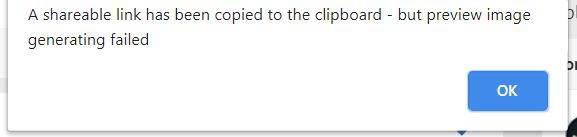
then, and the provided image looks like

William Shoap
Replied 6 years ago
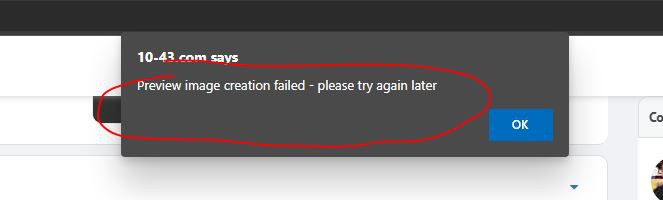
Hello, I just re-installed and still experiencing this same issue after clicking on "Share Link" Screenshot attached.
Michael Zülsdorff
Replied 6 years ago
caching issue on first time installation has been fixed with 2.1
you have to run Configure->Content Sharing manually after enabling the component for the first time to enter your API key
William Shoap
Replied 6 years ago
Update #3: I tested the api using the test pages in Rest7. I manually copied the share link URL and pasted it into the Rest API test screen and then viewed the result. It generates an image but it is not picking up the preview image in the OSSN post. Hence maybe this has something to do with the error. I have attached another screenshot.