Open Source Social Network (OSSN) 8.1 has been released


OSSN - OPEN SOURCE SOCIAL NETWORK v8.1
- [B] Owner can not able to delete comment of others in photo #2428
- [B] Notifications remains if album is deleted #2427
- [B] "Attempt to read property "guid" on bool" in file\components\OssnRealTimeComments\plugins\default\rtcomments\item\js_entity.php #2430
- [B] Profile photo delete gives error but photo deleted #2429

hmzz okay, i will go true the Dutch translation to fix this al. found more misspelled lines

@Eric
Again, the Dutch translation is incorrect and in this case really misleading:
the English message is 'ossn:chat:no:friend:online' => 'No friends online',
as the right column indeed shows online FRiENDS only, and not any online member
hi, i got no online members from the start page.
from admin side and Dashboard i see the online members
![enter image description here][ATTACHMENT:7461]
[ATTACHMENT:7461]: https://www.opensource-socialnetwork.org/photoattachment/7461/who-online.png

You are right Michael will fux paddings.
@David you can open a ticket with openteknik.com

Arsalan... I don't have the premium version. I do have components that I've purchased on the site. Can you walk me through a fix?
If you have a closer look - the FREE goblue profile photo comes with no shadow indeed, but it's not really centered and drifting slightly to the left... (both mobile and PC view)
;)
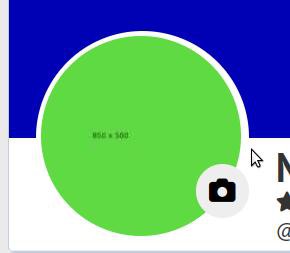
Its a bug in premium social network will be fixed in a day.
Updated: Fixed in 1738605936 build for premium version
Update: It only appears on members OWN profiles. When they go to a member on their friends' list... it doesn't appear. When they go to their own profiles... that's when they see it. I've tried removing all components and flushing cache... and it's still there. Other than this.... WHAT A GREAT UPDATE this is! Thank you for all your hard work.
I will check must be some custom component causing this on your network as i remember i removed this black overlay in new go blue theme.
You can verify yourself with test free version installation and see.

Why do my members see this oval shadow covering up our profile pictures on v8.1 ??
Due to the many requests in the past for additonal features and components we have decided to develope a premium version. Features like Hashtags, Videos, Polls, Events, Stories, Link Preview, etc included in it.
 $199 (Life Time)
Learn More