UPGRADE WIPED OUT COMPONENTS!!


If using OSSN:
OSSN version: 9.5
Website URL (optional):
If facing any bug:
PHP Version : 8.2
Error Log if any:
Browser: Firefox
OS (Window/Linux/Android/iOS/Mac): Windows
I upgraded from 8.1 to 9.5 and it wiped out MY FRONT PAGE styling AND ALL the components I had installed! There is an error message for each one saying that it can't find the description files ... I zipped my theme files and made a custom theme from an UN-Upgraded site and installed the custom theme, thinking that would fix it, but it didn't. What can I do to restore my old settings? Keep in mind, I am NOT a developer, I am the next step up from a novice. So, please explain things in layman's terms. LOL!
Thank you for ANY help you can give!
Okay, I will try it that way. Thank you!

SOFTACULOUS
aha, that is the cause
beter is to upload alle new files to your server with FTP
Make sure you have at minimum php 8.0 running.
Back up your complete OSSN site- and data directory.
Back up your database.
Download the latest stable OSSN version from the download page of our website and unzip it locally.
Login to your Ossn admininstrator dashboard - don't log off.
Disable Cache.
Upload all files and folders from the locally unzipped archive to the former place on your server via FTP, SCP or a Filemanager of your choice. (When asked to allow overwriting of the old files: Answer YES to all)
Check the ownership of copied files and folders on your server. They must be read- and writable by the webserver process. In doubt ask your provider how to set permissions correctly.
Back in your browser, enter YOUR-WEBSITE-URL/upgrade/upgrade.php
Remove subdirectory named installation
You must follow these steps to upgrade.
SOFTACULOUS works like new install and is buggy with OSSN
No. It would appear they just got overwritten. I don't have access to error logs. I installed a test site to try and fix everything, which at this point means reinstalling components. BUT I do have another LIVE site that I wanted to upgrade, and I'm wondering if I should be doing it differently. The last upgrade was through SOFTACULOUS ... Is there a BETTER way to upgrade that might not wipe out my components this time?
can you see the components back in your database component overview.
Can you acces your error.log?
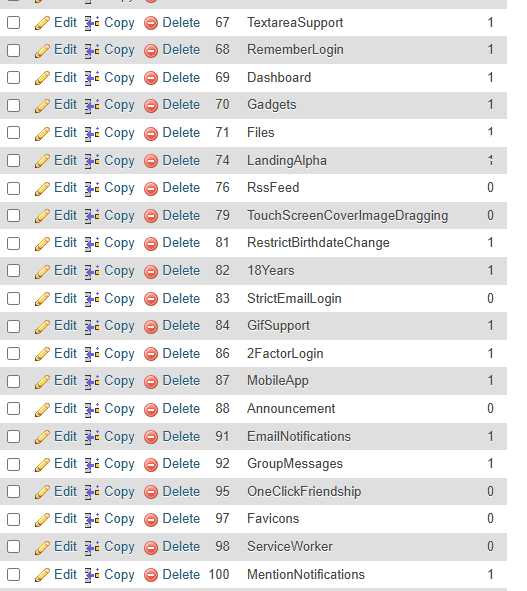
I meant components THAT CAME WITH 9.5. That's what I meant by "stock". But ALL my components that I had downloaded and installed are gone from the list.

What is STOCK component? Never seen it do you have url of it if you downloaded from community?
Here is a list of the components page. Only STOCK components that came with 9.5 are there. None of the ones I had installed.
OssnProfile
8.0
OssnWall
8.9
OssnComments
8.6
OssnLikes
8.2
OssnPhotos
7.3
OssnNotifications
7.2
OssnSearch
3.2
OssnMessages
7.3
OssnAds
5.2
OssnGroups
7.2
Ossn Site Pages
4.0
OssnBlock
7.0
OssnChat
7.2
OssnPoke
3.1
OssnInvite
6.0
OssnEmbed
6.2
OssnSmilies
6.2
Ossn Sounds
6.2
OssnAutoPagination
1.3
Message Typing
2.0
Real Time Comments (experimental)
1.6
Post Background
6.2
Giphy Integeration
6.2
OssnLocation
2.0
Share picture of components page
Yes, I did disable the cache. I did NOT delete the components folder. Should I have?
Before upgrade did you deleted the components folder?
Also did you disabled cache before upgrade?
Due to the many requests in the past for additonal features and components we have decided to develope a premium version. Features like Hashtags, Videos, Polls, Events, Stories, Link Preview, etc included in it.
 $199 (Life Time)
Learn More