Creation of Private Groups Similar to Facebook


If using OSSN:
OSSN version: 8.9 Free
Website URL (optional):
If facing any bug:
PHP Version : 8.2
Error Log if any:
Browser: Chrome/Firefox
OS (Window/Linux/Android/iOS/Mac): 11
Is it possible to create a private (invite only) component that overrides the closed option when creating a new group? Something like FB allows is what I am seeking. I've tried a lot of different things (too many to list) but nothing is working for me and just wanted some direction on if this is possible and maybe some steps provided as to how I may make it work.
Thank you for your time.
Okay so I finally got my component to work the way I want it, so thanks to both Eric and Michael for steering me in the right direction.
Especially Eric for his own version (which I almost used instead) which helped me learn more about the OSSN platform through practice and application of similar technics.
Hi guys, sorry I've been very busy lately and couldn't find the time to get back here. Would it be better if I upload what I have done to date so you can see what I am attempting to do? I have most things working just cannot figure out how to get the component to actually create the private group after saving the new group. It just stalls. For the record I am not that experienced with coding so I have been working with AI to help fill in the blanks. Hopefully this won't offend anyone.

nice component, slug(my component works)
https://nlsociaal.nl/test/g/secret-private-group
and indeed its secret. now the way to override the 404 page with
" To bad, this group is secret"

Yep, some way to let the invited user know the path of that group would be fine. ;)
My idea for the Private Groups component I created yesterday was to maintain compatibility with the familiar workflow of Ossn core groups as much as possible.
a oke, but with an invitation you need still an url to the group?
I don't think so, Eric.
To my understanding Paul's original intention was to keep a group of type 'PRIVATE' completely invisible:
- as long as you are not already a member of that group
or - have received an invitation to join
put my alteration online
Think i got it
https://www.opensource-socialnetwork.org/component/view/3305/group-invitation
altered this component and now you can share, and invite users to your closed group
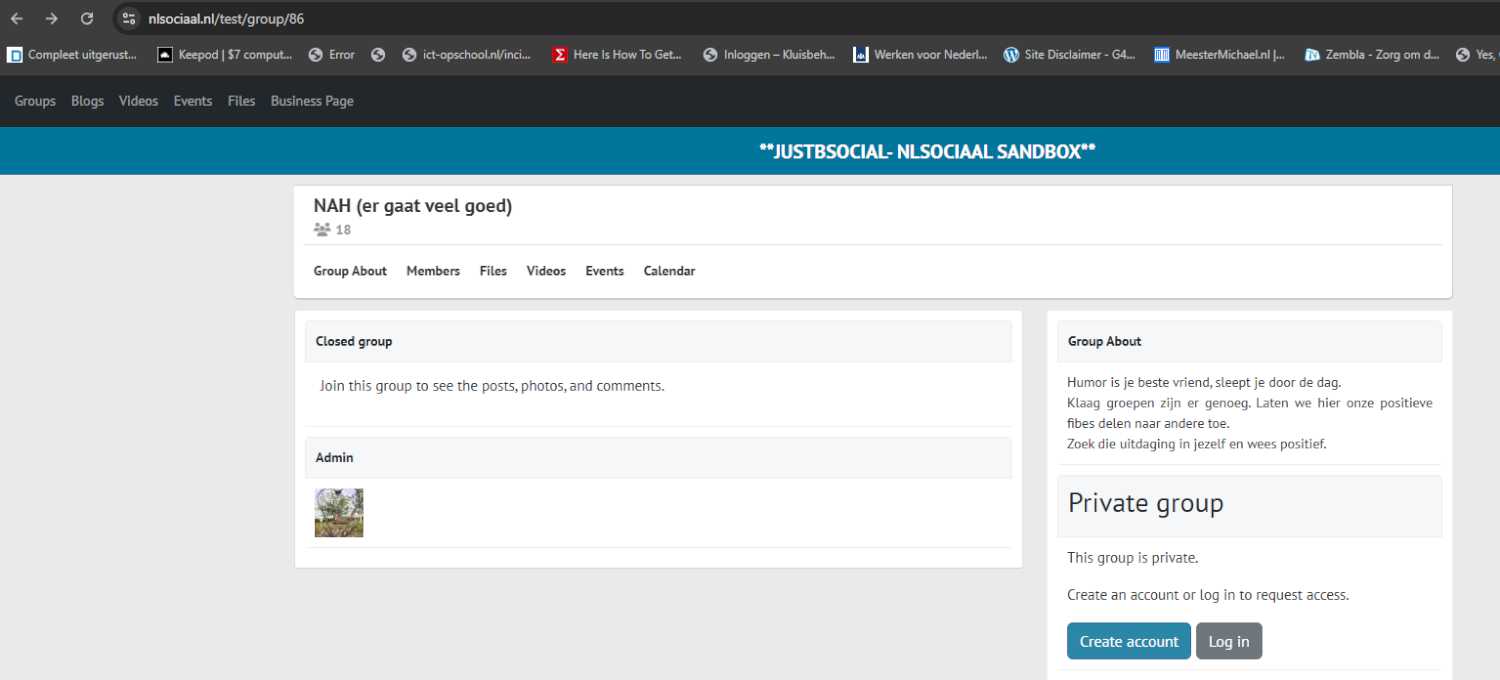
Okay. Back to this topic. Indeed you want to have some invites option to the shared closed group. My example group about am sickness. Now i can share https://justbsocial.eu/g/nah-er-gaat-veel-goed but there is no join(redirection when no account present) new users have to make an account, become friend and group owner can invite. Understand the hussle
Okay, for me got the solution.
made an time line filter and group post module
What was fixed and why
We discovered that private (closed) group posts were leaking into the main timeline for users who were not members of those groups.
Although OSSN correctly blocked access when clicking the post (showing a 404), the timeline override was rendering the post content without checking group membership, which is a privacy issue.
What we changed
- Added a strict group check in the timeline view
Before rendering any post:
If the post belongs to a group:
Public group → the post is shown to everyone
Private / closed group → the post is shown only to group members
Non-members never see private group posts in the feed anymore
This prevents content from being visible in the timeline if the user is not allowed to access it.
- Improved the SQL filtering logic
User posts still respect their access level (public / friends)
Public group posts are allowed in the homepage feed
Private group posts are not blindly filtered in SQL, but are safely handled in the view layer with a membership check
This keeps public groups discoverable, while maintaining correct privacy for closed groups.
Result
✅ Public group posts help attract new members (intended behavior)
🔒 Private group posts are visible only to members
❌ No more “visible in feed but 404 on click”
🛡️ Privacy is enforced consistently at multiple layers (defense in depth)
Due to the many requests in the past for additonal features and components we have decided to develope a premium version. Features like Hashtags, Videos, Polls, Events, Stories, Link Preview, etc included in it.
 $199 (Life Time)
Learn More